



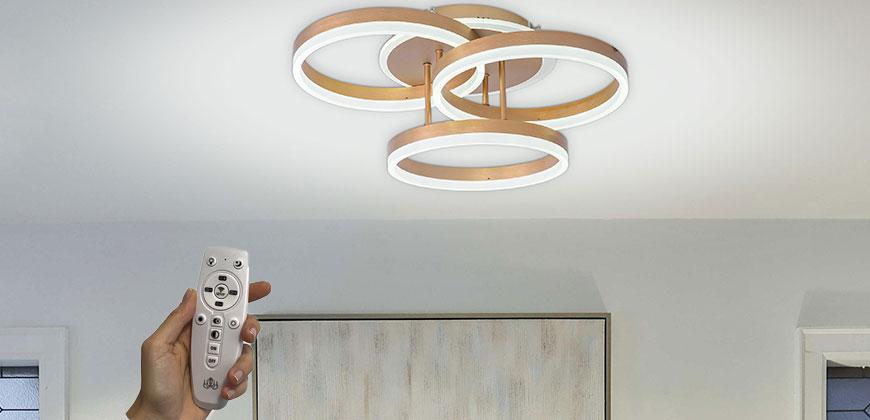
Connecting the LED chandeliers to the remote control and the app

Lead editor
Share
How do I connect the chandelier to the remote control?
Although the principle of operation is only one, the functions of the remote controls can vary from one model to another, making the process simpler or more complex, as the case may be.
There are two possible cases:
Although the principle of operation is only one, the functions of the remote controls can vary from one model to another, making the process simpler or more complex, as the case may be.
There are two possible cases:
-
Then when the remote control received together with the LED chandelier is equipped with a SET UP button (in the middle of it is a WIFI button) - you have to turn off the chandelier by pressing the switch and then turn it on, during which time you have to hold down the SET UP button for a few seconds. Immediately after this action, the chandelier and the remote control will be connected.
- Then when the remote control of the chandelier does not have a SET UP button, you need to make the connection between the chandelier and the remote control as follows: identify the special wire that ensures the connectivity, take it to the outside of the chandelier and get as close to it as possible with the remote control. Once the remote control receives the chandelier signal, the two devices will be paired.
How do I connect the chandelier to the LampSmart app?
With the LampSmart app, which uses Bluetooth technology, Alessandro Design LED chandeliers with smart functions can be controlled directly from your mobile phone. A big advantage of this application is the ability to easily control the chandeliers throughout the house from one place.
Steps to connect the chandelier:
- Install LampSmart - the app is available for Android in the Google Play Store
- The app's main panel will open - here, make sure the selected light type is NEUTRAL and your phone has Bluetooth enabled
- Then long press the HOME button for 5 seconds - now the mirror is directly connected to your phone
- If you have several LED chandeliers in the house, repeat the procedure for each one separately, assigning them the corresponding space (Kitchen, Living Room, Bedroom
Intensity adjustment it is done right from the main panel, using the circular button which you will act from left (minimum point of intensity) to right (maximum).
This button is also used for ON/OFF function, for which you will have to press left/right.
You will also notice in the main panel WARM/NEUTRAL/COOL color adjustment option, from 0% to 100% Color.
Also here are the other functions that may or may not be available, depending on each lamp model: Night Light, Change RGB, Cyclic RGB.
Thank you for choosing Alessandro Design remote control LED chandeliers and we remain at your disposal for further information!
About the author
Lead editor
The main author of the Alessandro Design blog, with 88 published articles. He writes practical lighting guides: how to choose a ceiling lamp to suit the size of the room, how to install a chandelier or wall lights correctly, how to look after LED fixtures and how dimmable ones work.
He also covers bathrooms and accessories — mirrors, stainless steel taps, decorating ideas for balconies and bathrooms — plus topics that are useful to customers, such as the right of return in the European Union.